Shortshock Guide · Channel connection guides
TikTok connection guide
Connect a TikTok account to Shortshock to publish videos and track how your account and posts perform.
Before you start
- You need to be able to sign in to the TikTok account you want to connect.
- Allow every permission shown on the consent screen so that publishing and statistics work fully.
Number of accounts you can connect
How many accounts you can connect per channel depends on your workspace plan. When you reach the limit, a “Quota Exceeded Connection Limit” notice appears; upgrade the plan or delete an existing account before adding another.
How to connect
- Sign in to Shortshock and open the “Connection” menu of the team you want to connect the account to.
- On the TikTok card, press “Add Account” to go to TikTok.
- On the TikTok login screen, sign in with the account you want to connect, then approve the consent screen with every item turned on.
- Once you approve, you are returned to the Connection screen automatically and the account appears on the TikTok card.
Accounts are connected per team. To use the same account in another team, connect it once more from that team's Connection menu. To connect several accounts on the same channel, repeat the steps for each account.
Screen-by-screen steps
After you press Add Account, TikTok shows the screens below in order. If your browser is already signed in to TikTok, the login screens may be skipped.
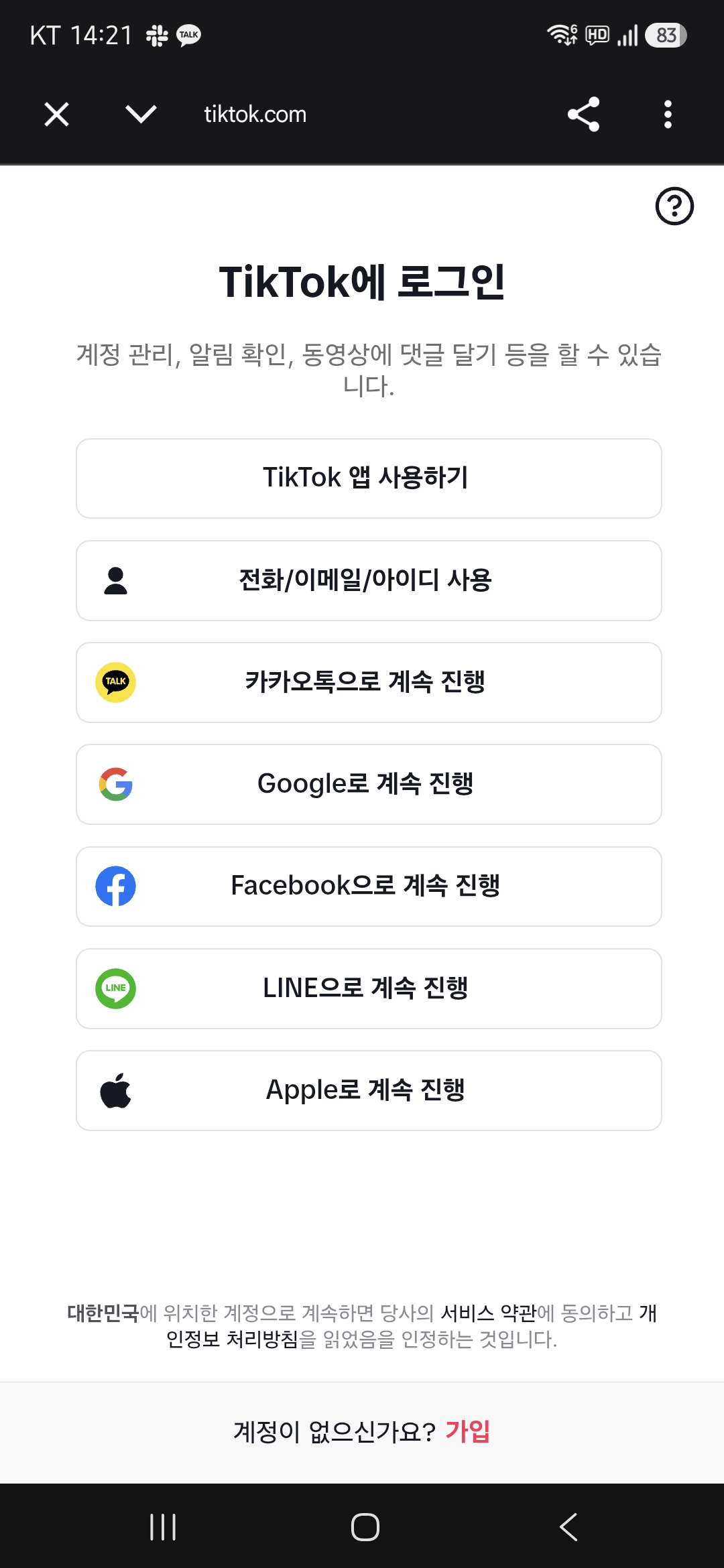
1.On the “Log in to TikTok” screen, choose the login method that matches the account you want to connect. If the TikTok app is installed on your phone, “Use TikTok app” is the simplest.
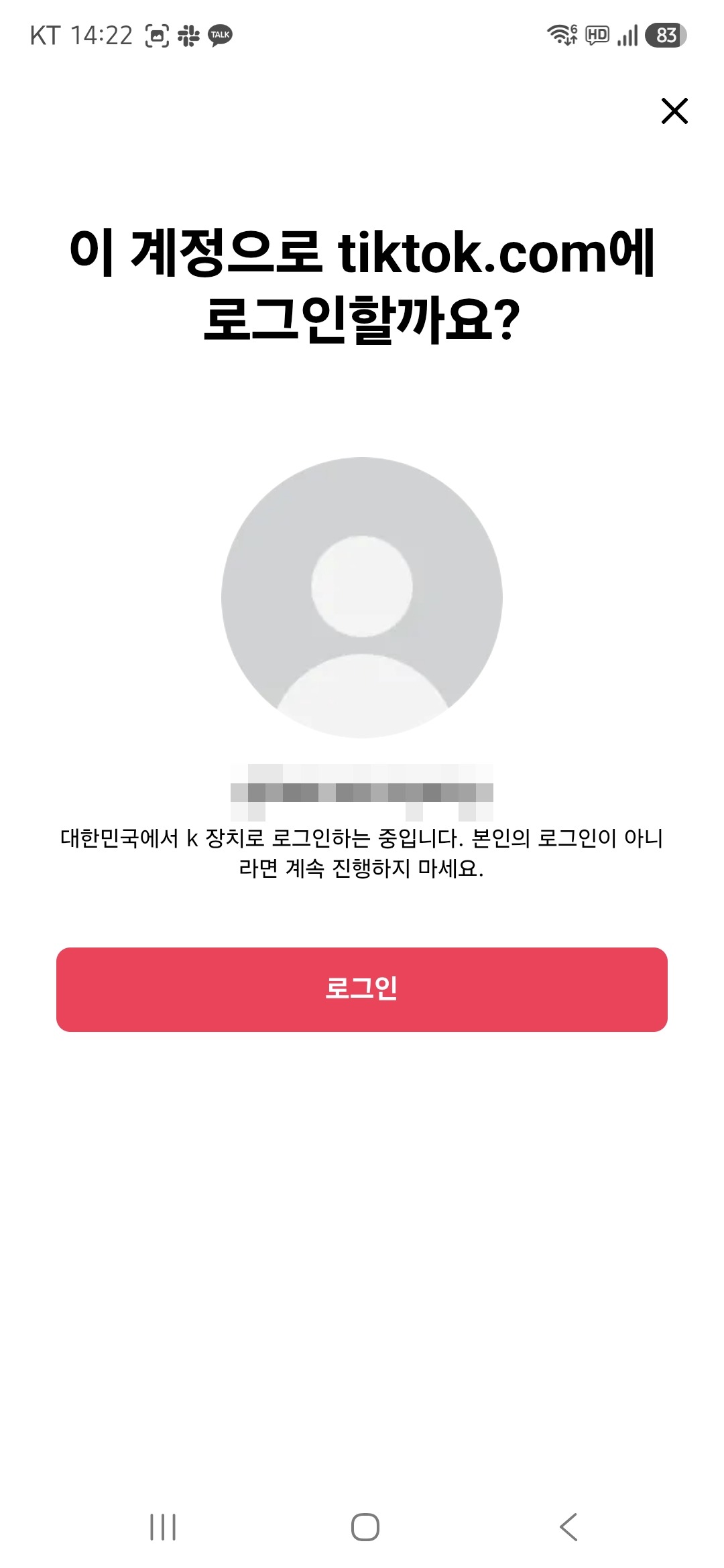
2.Choosing “Use TikTok app” opens the TikTok app. Check that the account shown is the one you want to connect, then press “Log in”.
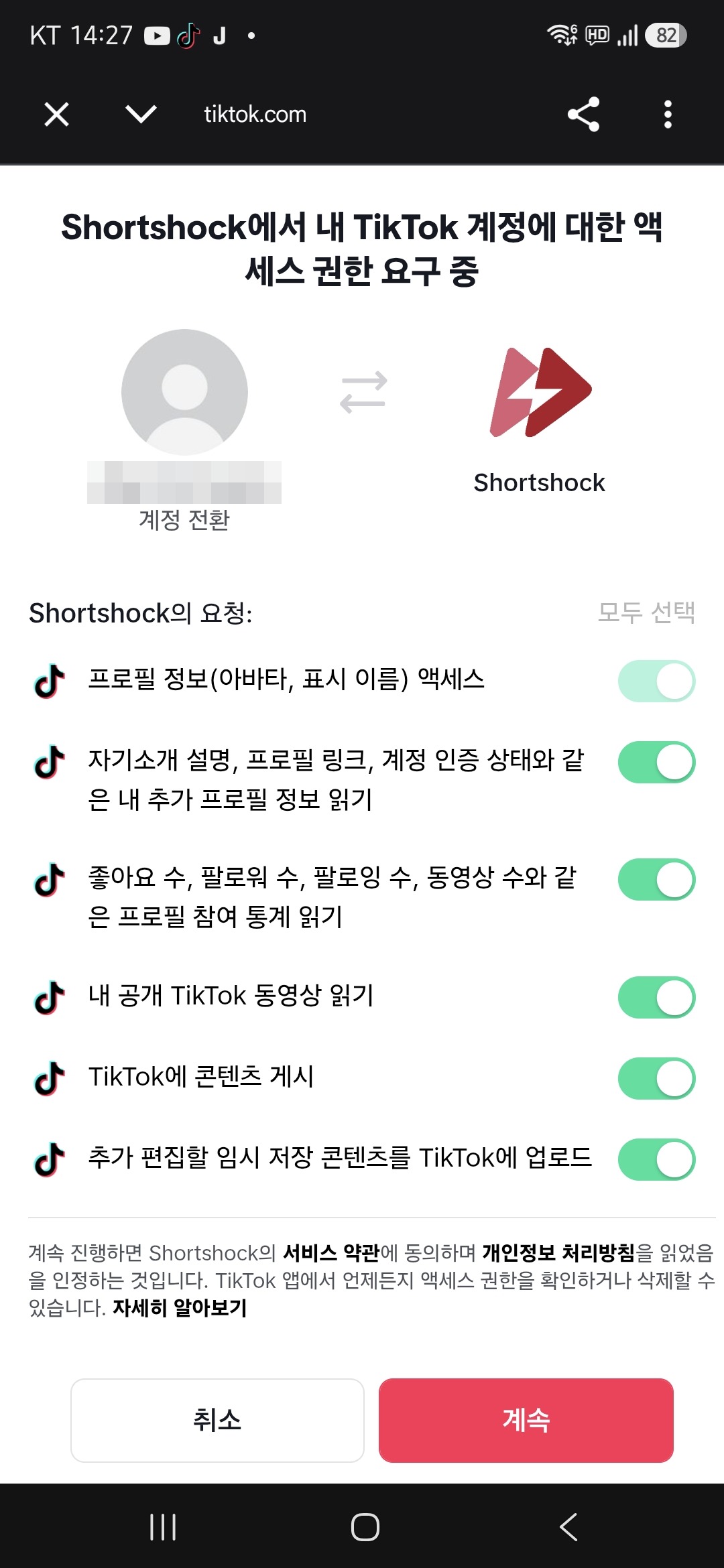
3.On the permission request screen, check the account name again. If it is a different account, press “Switch account” under the name; if it is correct, press “Continue” with every requested item turned on.
Keep every requested item turned on
If any item is turned off, statistics such as follower count or publishing will not work. If some items are off, press “Select all” at the top right.
Requested permissions
While connecting, Shortshock asks TikTok for the permissions below. They cover publishing and performance tracking; if you decline some of them, the related features may not work.
| Permission | Used for |
|---|---|
user.info.basic | Read the basic profile, such as nickname and avatar |
user.info.profile | Read profile details, such as the profile link and bio |
user.info.stats | Read follower, following, like, and video counts |
video.list | Read the list of public videos and their statistics |
video.publish | Post videos directly to the account |
video.upload | Upload videos as drafts |
Troubleshooting
Some statistics, such as follower count, are empty
If you approve with some permissions turned off, that information cannot be fetched. Delete the account, then connect it again with every permission allowed.
A different account gets connected
The connection uses the TikTok account already signed in to your browser. Use the switch-account option on the consent screen, or log out on tiktok.com and try again.
Nothing happens after pressing Add Account
If you see “Failed to get the account connection URL”, wait a moment and try again. On Android, if you are not returned to the app after connecting, set Chrome as your default browser and try again.
You received an “Account Connection Disconnected” notification
The connection is dropped when you change your password on TikTok or revoke Shortshock's access. Connect the same account again from the Connection menu to see its existing content and analysis results again.
Disconnecting
In the Connection menu, open the options menu of the account you want to remove and choose “Delete Account”.
- After deletion you can no longer see that account's content and analysis results. Connecting the same account again brings the existing data back.
- The history of uploads made through Shortshock is kept after deletion.
- To fully revoke the access granted on TikTok, remove the Shortshock app connection yourself in your TikTok account settings.